Make talking head videos without the editing
Talk to the camera. Read off the teleprompter if you like, then AI keeps your best takes, cuts the pauses and captions every word.
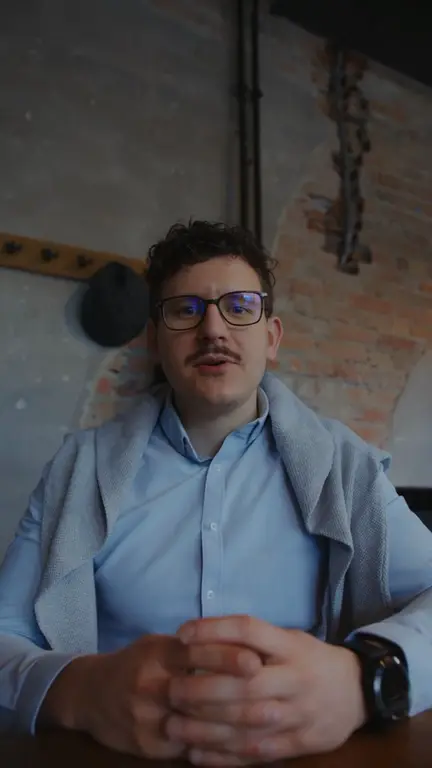
Say it. AI makes it tight.
For tips, stories, opinions and explainers: you, talking, cut clean.
A teleprompter. Your script scrolls at your pace while you look at the lens.
Retakes handled. Say a line twice and the better take stays.
A Cutting slider. From gentle to tight: how much of each pause goes.
Word-by-word captions. Timed to your voice, in a few styles.
How it works
- Step 01
Record your takes
Read off the screen or speak freely. Say a line again if you trip.
- Step 02
AI cuts it
Pauses, ums and the first try of a retaken line, gone.
- Step 03
Captions and export
Every word on screen, in the style you pick.
Talking head questions
What is a talking head video?
A video of one person speaking straight to the camera, framed from the chest up, with the voice carrying the video: tips, stories, opinions, explainers and most UGC ads. On TikTok and Reels it's usually under a minute, vertical and captioned.
How do you make a talking head video?
Write the main points or a short script, put the camera at eye level with light on your face, and read off a teleprompter so you can look at the lens. Record a few takes, then cut the pauses and retakes and add captions. Here, the last step is our AI's.
Can I use video from my phone?
Yes. Drop in takes from your camera roll or computer, or record in the browser.
Does it cut words I wanted to keep?
You set how hard it cuts, and every cut can be undone in the timeline.
What does it cost?
Our AI (scripts, edits, captions, hooks) is on Pro, Studio and Max, which run on monthly credits. You can try the editor and export for free, with a small UGCLive mark.