









































The AI video editor for UGC creators
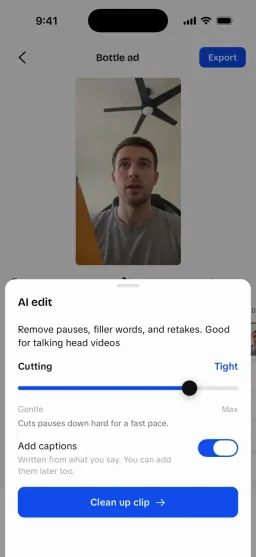
UGCLive is an AI video editor made for talking-head UGC, in the iPhone app and in your browser. AI edit cuts the pauses, filler words and retakes; then add word-timed captions and a hook, and export 1080×1920 for TikTok, Reels and Shorts.
Record with the script on screen, then let AI edit make the first cut. One account for the app and the web.
One step of what UGCLive's AI does
- 1AnalyzeWhy any video or account works
- 2WriteYour version, scripted
- 3EditAI makes the first cut
- 4GrowTest hooks, learn, scale
Then back to Analyze, with your own results.
What happens to a raw take?
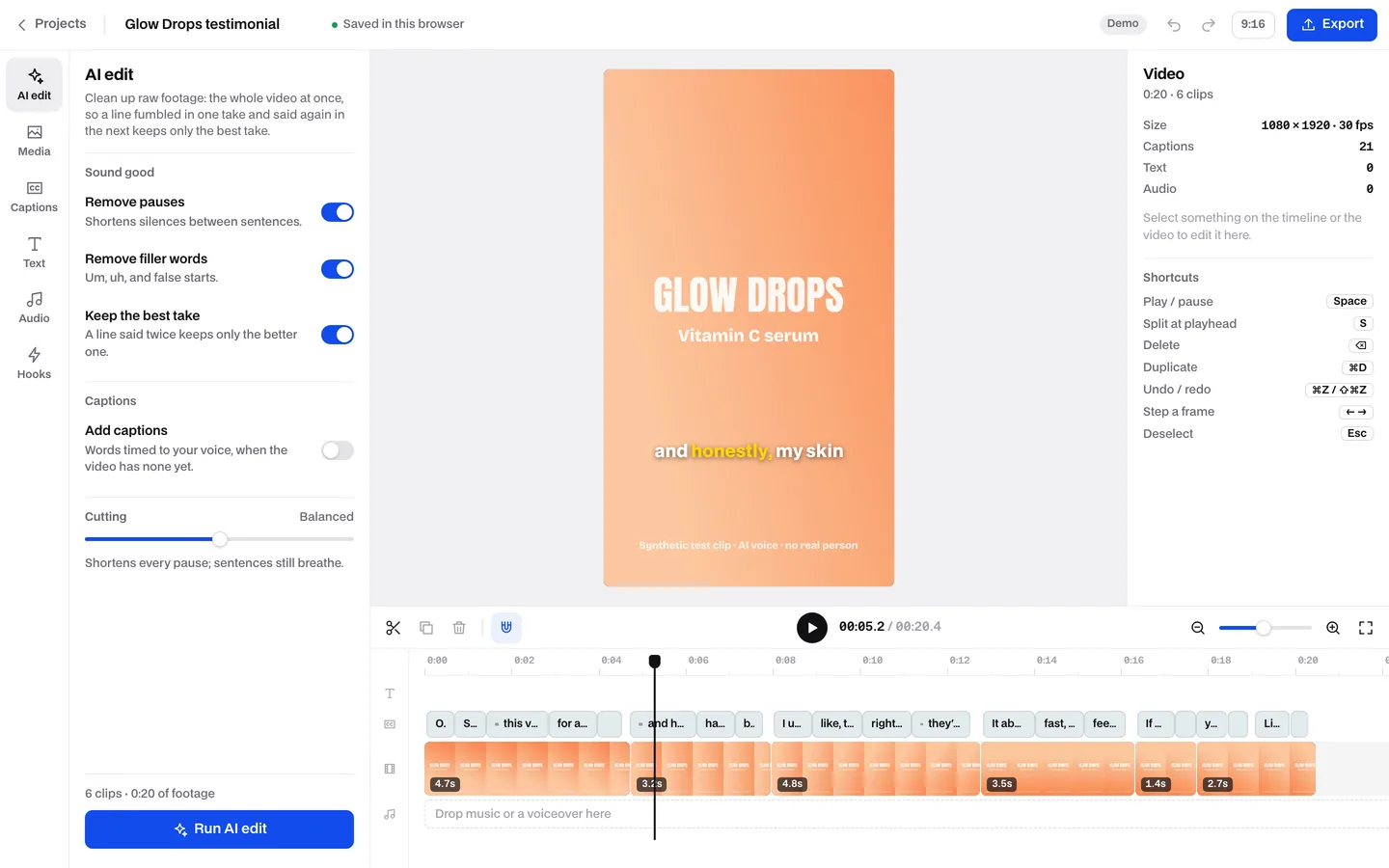
We ran AI edit's own rules on a 30-second test clip with two long pauses, two filler words and one fumbled line.
- 30.4 s
- raw take, as recorded
- 20.5 s
- after AI edit
- Balanced, the default
- 6
- pieces kept, each a normal clip
- 21
- captions, timed to the words
Our run of AI edit's own rules and cut planner on synthetic test clip 01 (a 30.4 s serum testimonial, AI voice, no real person), October 16, 2026. The retaken line was marked by hand where the live editor asks an AI model.


What's in the editor?
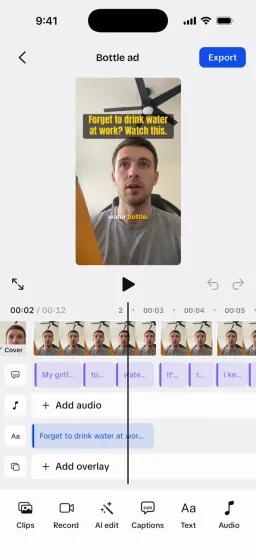
Tools down the left, the preview in the middle, the timeline underneath, and one Export button.
- AI editPauses, filler words and retakes in one pass, with a Cutting slider from Gentle to Max.
- CaptionsAuto captions in five styles that follow the spoken word.
- TextTitles and hooks on screen, in the fonts the export draws.
- AudioMusic and sound effects, with volume and fades.
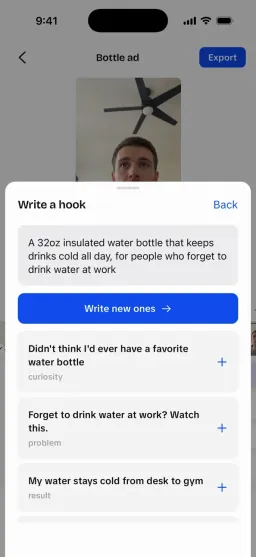
- HooksOpening lines from your brief, exported as A/B/C versions.
- ExportA 1080×1920 MP4 for TikTok, Reels and Shorts.
iPhone app or web editor?
The app is where a video starts: you film it there. The web editor is there when you'd rather finish on a computer.
- iPhone appStart hereIn beta
- Yes: Teleprompter camera, then the whole edit on your phone
- Yes: Analyze and a portfolio page in the same app
- Check: AI B-roll, in testing
- Web editorAny computer, nothing to install
- Yes: AI edit, captions, text, audio, hooks and export
- Yes: Analyze and a portfolio page too
- No: B-roll: not on the web yet
What does it cost?
Free to start. Pro removes the monthly caps and the mark on exports.
- GuestNo account yet
- Partly: 1 AI edits and 1 auto captions a day
- Partly: 2 hook sets a day
- Check: 1 exports a day, with a small UGCLive mark
- Free accountFreeSigned in, no plan
- Yes: 3 AI edits a month
- Yes: 3 auto captions a month
- Yes: 10 hook sets a month
- Check: 5 exports a month, with a small mark
- Pro$20 a month, or $12 billed yearly
- Yes: AI edit, captions and hooks for every video (fair use: 100 AI edits a month)
- Yes: Exports without the mark
- Partly: In the iPhone app or on the web by card
UGCLive's web allowances on October 16, 2026. A guest's tries reset every day (UTC); an account's each calendar month. The editor shows what you have left.
Everything in the Edit pillar
- Editing video on an iPhonePhotos, iMovie and UGCLive on the same minute
- TikTok ad formatsEvery TikTok ad format and its specs
- Auto caption generatorFreeSRT and VTT files, made in your browser
- Filler word counterFreeCount the um, uh and like in a script
- Safe Zone CheckerFreeSee what each app's buttons cover
- 9:16 pixel sizesFreeSizes for vertical video
- All app comparisonsUGCLive next to CapCut, VEED and others
 FAQ
FAQAI video editor questions
Is the AI video editor free?
Yes, to start. Without an account you get 1 AI edits, 1 auto captions and 1 exports a day. A free account gets 3 AI edits, 3 auto captions and 5 exports a month, with a small mark. Pro ($20 a month) removes the mark and covers every video you make (fair use: 100 AI edits a month).
What does AI edit cut?
Long pauses, filler words such as um and uh, stutters, and lines you said twice, keeping the better take. It reads the whole video at once, so a line fumbled in one clip and said again in the next keeps only the good one. Every piece it keeps is a normal clip you can trim or move.
Which files can I upload?
MP4, MOV and WebM video, plus photos and audio, up to 50 MB a file for now. A bigger file is refused with a message saying so; shorter takes or 1080p recordings stay under the limit.
What size does it export?
A 1080×1920 MP4, the vertical size TikTok, Instagram Reels and YouTube Shorts use.
Is there an app?
Yes: the UGCLive iPhone app, in beta, is where most videos start, with the teleprompter camera and the whole editor. The web editor is there for a computer and needs a screen at least 1024 px wide; the same account works in both.
Where do my uploads go?
To private storage tied to your account. They're used to edit and export your video, and the AI steps send the audio and transcript to the services that do the work.
Still have questions?Email us
How we made this page
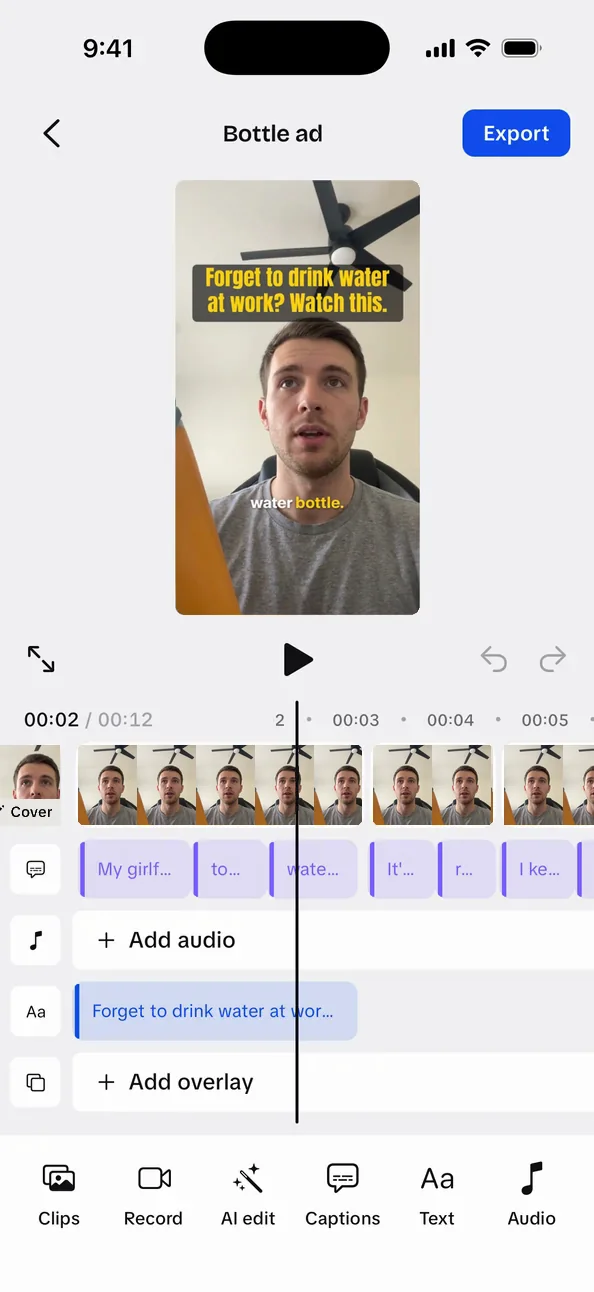
The phone screen at the top is the UGCLive iPhone app. The other screenshots are the web editor itself on October 16, 2026, holding synthetic test clip 01 (AI voice, no real person). The cut and the captions in them come from running AI edit's rules and cut planner (services/ai-editor) on that clip at the default Cutting setting, with the one retaken line marked by hand where the live editor asks an AI model. The run and its output are in our repo (docs/blog-evidence/product-pages). We didn't time an export for this page.
Updated by the UGCLive team.
 UGCLive for iPhone
Your next take, cut and captioned.
Film it with the teleprompter, run AI edit, pick a caption style and export. Or do the edit in your browser.