Faceless video AI
Make videos without showing your face: paste a script and our AI makes the whole video, with a narrator, a picture for every sentence, motion graphics and captions timed to each word.
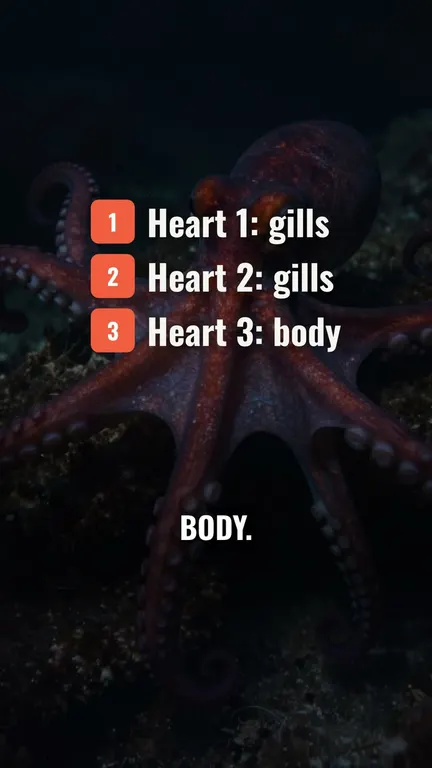
No face. No camera. A finished video.
For explainers, facts, stories, lists and top 5s.
130 narrators. Documentary to upbeat, in English and 8 more languages. Or upload your own voice.
A picture for every line. Made for what each sentence says, with a slow camera move.
Motion graphics. Title cards, charts, counters, lists and quotes, rendered into the video.
Word-timed captions. Karaoke, pop or clean subtitles, on every spoken word.
How it works
- Step 01
Paste your script
Any topic, up to 15 minutes. Pick a voice, Shorts or YouTube, and a caption style.
- Step 02
Our AI makes it
Narration, a picture for every sentence, graphics for numbers, lists and quotes.
- Step 03
Edit, then post
Change any line by chat or on the timeline, then download the 1080p MP4.
Building a faceless YouTube channel
One script makes a 16:9 YouTube video or a vertical Short, so a channel can post both without anyone on camera. Planning the channel itself? Our Editor's guide on how to start a faceless YouTube channel goes from the niche to the scripts to a posting schedule, and its page on faceless YouTube videos shows finished examples.
Faceless questions
How do I make videos without showing my face?
Write or paste a script and pick a narrator. Our AI makes the rest: a picture for every sentence, motion graphics for numbers, lists and quotes, and captions timed to each word. You never film or record yourself.
How long can a video be?
Up to 15 minutes, as a 9:16 Short or TikTok or a 16:9 YouTube video. A one-minute Short is usually ready in two or three minutes.
Can I use my own voice?
Yes. Upload your narration instead of picking a voice: our AI cuts it scene by scene and times the captions to it.
Can I change it after?
Yes. Open it in the editor and ask the chat, or change any line, picture or graphic yourself, then render again. Only what changed is made again.
What does it cost?
Each video is made from your plan's monthly credits. Plans start at $20 a month.