40% off every planSee plans

TikTok Shop not showing? Why, and the fix

TikTok Shop not showing? It's only in the app, only for 18+, and creators and sellers have their own rules.

Short answer

TikTok Shop only shows in the TikTok app, not the website, and only to people 18 or older where Shop runs.

If you're a creator, the product link appears once you're an affiliate (1,000 followers in the US, 18+, ID verified). If you're a seller, products show once they pass review, and the shop shows on your profile only once your TikTok account is linked to it.

  • Only in the TikTok app, never on the website
  • 18+The age TikTok asks of buyers
  • 1,000Followers before a US creator gets product links
  • Sellers: link the TikTok account, or the shop sells from the Shop tab only

If it doesn't work

ProblemFix
No Shop tab or cart on tiktok.comTikTok Shop is only in the TikTok app. Open the app.
No Shop anywhere in the appCheck the age on your account: buying needs 18 or older. Shop runs in some countries only.
Shop vanished after a trip or a VPNOur advice: turn the VPN off and restart the app, so it reads your real region.
It was there yesterdayOur advice: update the app from the App Store or Google Play, then log out and in.
No Add link or Products when postingYou aren't an affiliate yet: 1,000 followers, 18+, US-based, ID verified (check in a minute).
Your products don't show to buyersNew listings wait in review; an unauthorized brand stays hidden. See Seller Center's product list.
No shop on your profileLink your TikTok account to the shop as its official account; name and region must match.

Where should TikTok Shop show in the app?

The three places Shop appears for a shopper
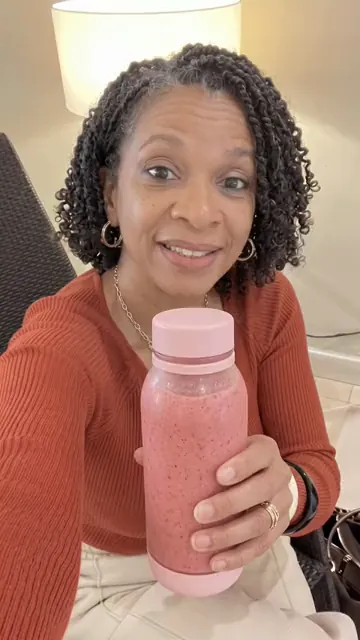
  1. In a video

    The product link sits above the creator's nickname.

  2. In search

    A Shop tab at the top of the results.

  3. The Shop tab

    Its cart is at the top; Help, then Contact us, reaches support.

Illustration by UGCLive from TikTok's help page on TikTok Shop (read November 11, 2026), drawn on a frame of one of our example videos. Tabs move between app versions.

None of these show on the website: TikTok says Shop "is only available in the TikTok app." Is shopping there safe once it shows? Is TikTok Shop safe.

Why is TikTok Shop not showing for me?

Work down the list until one fits

On tiktok.com in a browser?
YesOpen the appTikTok Shop is only in the TikTok app.
No ↓
Is the birthday on your account under 18?
YesShop is for 18+TikTok asks buyers to be 18 or older, or the local age.
No ↓
In a country where Shop doesn't run, or on a VPN?
YesRegionShop follows the market your app is in. Our advice: VPN off, then restart.
No ↓
ElseUpdate and report itOur advice: update the app, log out and in, then Settings, Report a problem.
From TikTok's help page on TikTok Shop (read November 11, 2026). The region and update steps are general app advice, ours: TikTok publishes no troubleshooting list.

TikTok's help page lists no countries. In the US, the UK, much of Europe and Southeast Asia it runs as its own market: the UK, Europe, the Philippines.

What the Post screen needs before Add link shows a product

  1. Age

    18 or older.

  2. Followers

    1,000 for affiliate creators; a seller's own official account needs none.

  3. Country

    A US creator account for the US marketplace.

  4. Verification

    Identity checks, and no past loss of e-commerce access.

  5. The daily cap

    Past 3 shoppable videos in a day, the option stops until tomorrow.

Illustration by UGCLive from TikTok Shop's US creator eligibility policy (updated September 25, 2026), read November 11, 2026. The follower count is an example.

Once all four are met, the steps to tag a product are in how to add a TikTok Shop link to a video; every rule in one list: TikTok affiliate requirements. Under 1,000 followers: the routes that still work.

Why are my TikTok Shop products not showing?

A seller's product list, and why a product stays hidden

  1. Live

    Visible in search, the Shop tab and creators' videos.

  2. Pending review

    A new or edited listing waits for TikTok's review.

  3. Unauthorized brand

    A brand you haven't been authorized for "will not be shown to buyers."

  4. No linked account

    Without it, the shop sells only through the Shop tab: no store page on your profile, no videos, no LIVE.

Illustration by UGCLive from TikTok Shop's US pages on adding products (updated November 5, 2026) and linking the official account (September 8, 2026), read November 11, 2026.

Linking creates a store page on your TikTok profile; the account's name and region must match the shop's. A product taken down for a rule is a different problem: TikTok Shop rules has the violations and appeals, and opening a shop from the start is in selling on TikTok Shop, step by step. Stock bought from another store and shipped to buyers can close a shop: dropshipping rules.
More about TikTok Shop not showing

Can you turn TikTok Shop off?

We found no TikTok setting that hides Shop. Pressing and holding a video for Not interested tells the feed you want fewer like it, which is the closest control TikTok offers.

Sources

On November 11, 2026 we read TikTok's help page on TikTok Shop and TikTok Shop's US pages on creator eligibility, adding products and linking an official account, and quote them. TikTok publishes no troubleshooting list or country list; the app-update, VPN and region steps are general advice, marked as ours. We didn't test on accounts in other countries.

  1. TikTok Help: TikTok Shop (no date shown) (checked November 11, 2026)
  2. TikTok Shop: Creator eligibility policy (US, dated 09/25/2026) (checked November 11, 2026)
  3. TikTok Shop: How to add products to your shop (US, updated 11/05/2026) (checked November 11, 2026)
  4. TikTok Shop: Linking your official TikTok Shop account (US, updated 09/08/2026) (checked November 11, 2026)
  5. TikTok Shop: How to add a product link to your video (US, dated 09/15/2025) (checked November 11, 2026)

TikTok Shop not showing questions

Why did TikTok Shop disappear from my app?

Usually the app version, your region (a VPN or travel) or the age on your account. Update the app first; buying needs 18 or older.

How do you get TikTok Shop back on your app?

Work down the list above: use the app, not a browser; check the birthday on your account says 18 or older; turn a VPN off; then update the app and log out and in. If it's still missing, report it from Settings.

How do you make your TikTok Shop visible?

For a seller: link your TikTok account to the shop as its official account in Seller Center, and keep products Live, not pending review. For an affiliate: add products to your showcase so they show on your profile.

Is TikTok Shop on the website?

No. TikTok says TikTok Shop is only available in the TikTok app.

Why don't I see the Shop tab?

Shop shows only where it runs and to people 18 or older. If those fit, update the app and report it from Settings.

Why can't I tag products in my TikTok videos?

You're not a TikTok Shop affiliate yet. In the US that needs 1,000 followers, 18 or older and a verified identity.

Why isn't my shop showing on my TikTok profile?

The TikTok account isn't linked to the shop as its official account. Link it in Seller Center; the name and region must match.

How long does a new TikTok Shop product take to show?

It shows once it passes review. TikTok gives no fixed time on the page we read.

Still have questions?Email us

Used in this guide

TikTok Shop affiliate eligibilityFour answers. See if you can join.

Related

UGCLive for TikTok Shop

Shop showing again? Fill it with videos.

Paste a product link and our AI makes a batch of finished videos, each a different format with its own hook.