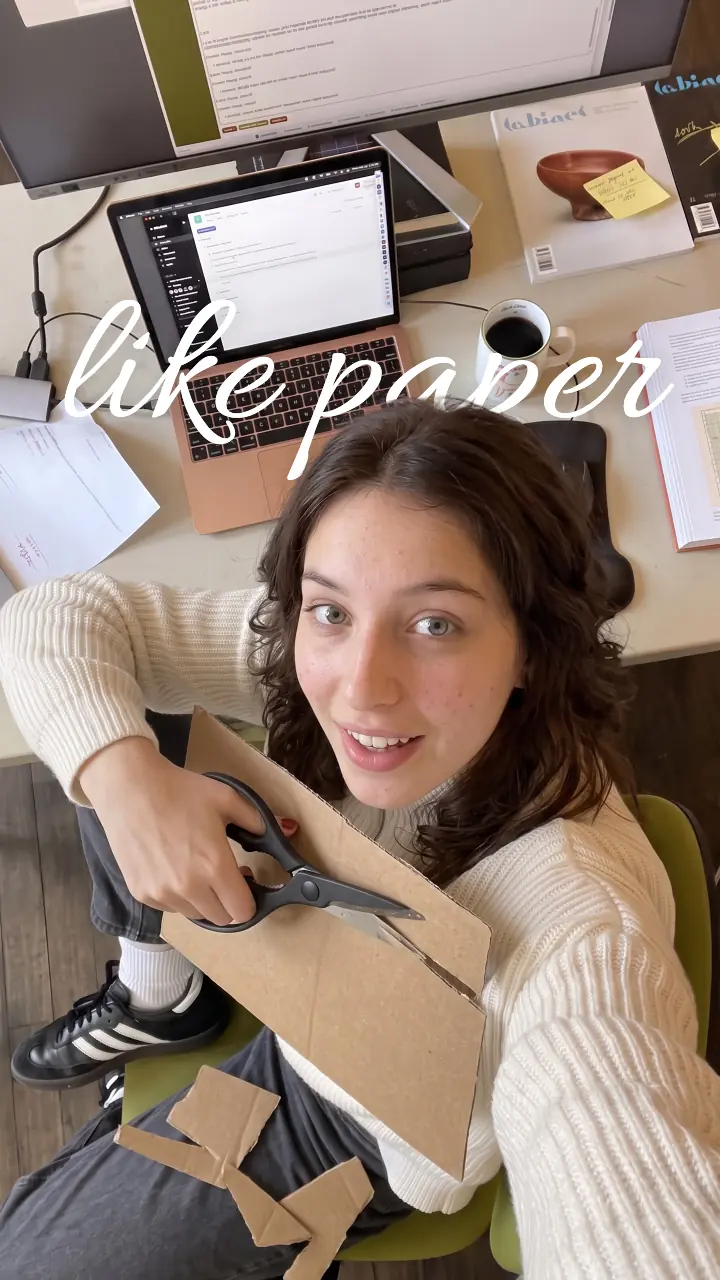
Free AI tool to translate video
Translate video with AI: upload a short clip, pick one of 11 languages, and our AI says it again in your own voice, with translated captions and optional lip-sync.
Translating only the captions and on-screen text is 1 credit. The dub runs on a paid plan, and shows the exact credits before it starts.
Where it works
- TikTok
- YouTube
- Any browser, phone or computer
Updated · Tested by the UGCLive team
Rather not film it?
Paste a product link and our AI makes the finished TikTok Shop video: script, an AI creator holding the product and captions.
Translate a video and keep your own voice
Our AI transcribes what you say, translates it and says it again in a clone of your voice, with the captions translated too. 11 languages; your original stays as it was.
 Okay, I need to tell you about the one thing that fixed my mornings.EnglishVale, tengo que contarte la única cosa que arregló mis mañanas.SpanishOk, preciso te contar a única coisa que salvou as minhas manhãs.Portuguese
Dub, lip-sync or subtitles only
A dub replaces the speech; lip-sync also matches your mouth to the new words. For subtitles alone, translate the captions and keep your voice. Starting from text, not a video? TikTok text to speech.
Said again in the new language, background sound kept
Videos up to 5 minutes.
The dub, with your mouth matched to the new words
Videos up to 2 minutes.
Captions and on-screen text switch language in place, re-timed
Any video in your project.
How to use Translate video
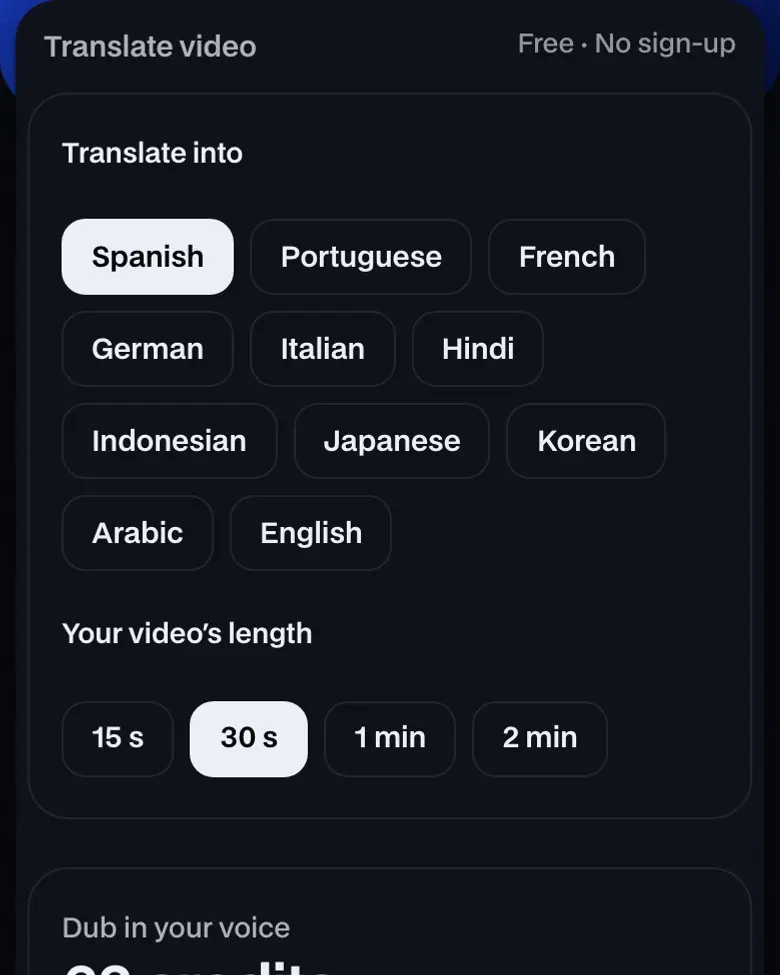
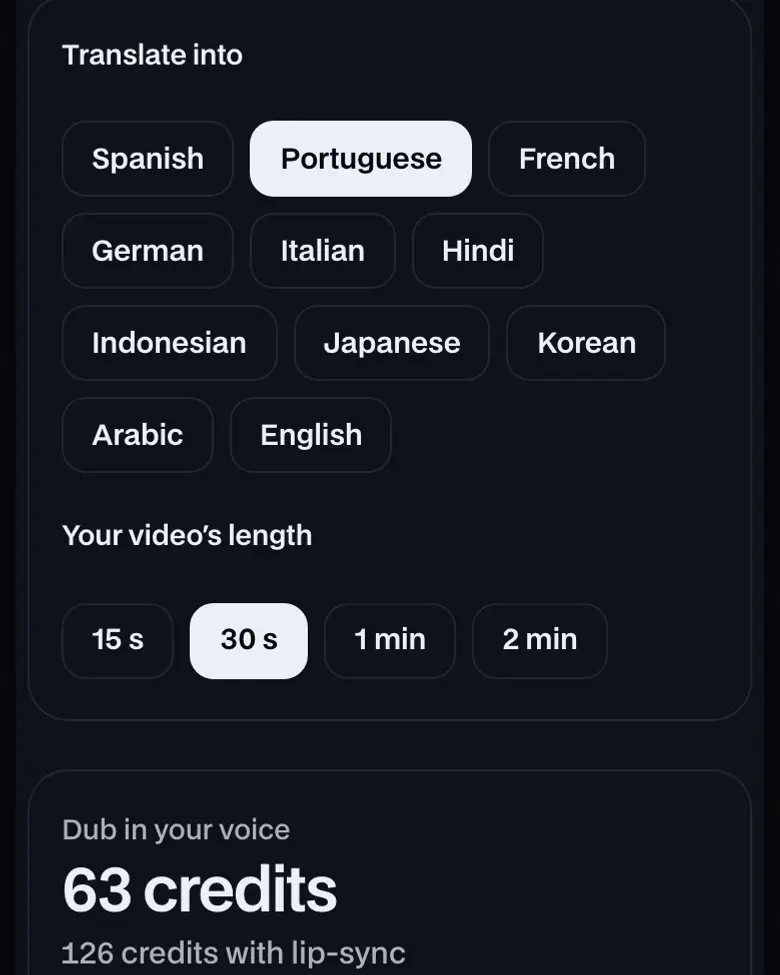
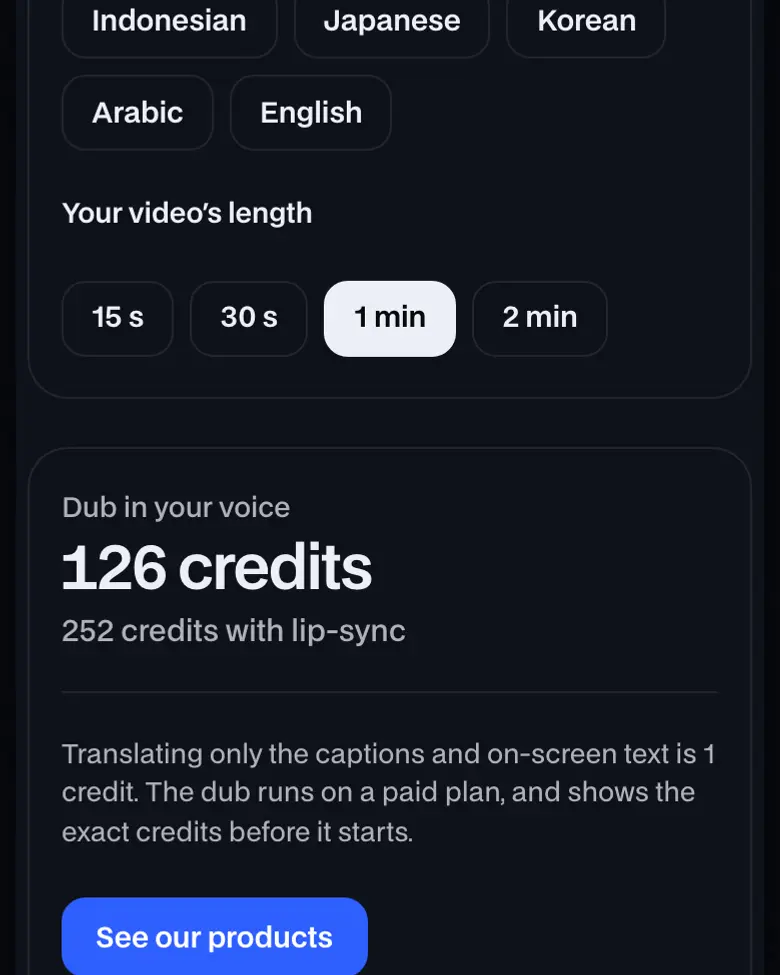


More about Translate video
Uploading is free; the dub is 21 credits per 10 seconds.
How to use Translate video, step by step
- Upload your video. A short clip of you talking works best, up to 5 minutes (2 minutes with lip-sync). It opens in our editor's Translate & dub.
- Pick the language. Choose one of 11 languages, your own voice or an AI voice, and lip-sync on or off. The credits show before anything runs.
- Get the dubbed copy. The dub lands as a new draft ("Name (Spanish)") with translated captions; your original stays as it was. Edit it or export it.
What is AI video translation?
AI video translation turns the speech in a video into another language: it transcribes the words, translates them and says them again, here in a clone of your own voice, then re-times the captions. Ours dubs into 11 languages, about 126 credits a minute.
Languages you can translate a video into
| Language | Your own voice | Lip-sync |
|---|---|---|
| Spanish | Yes | Yes, up to 2 minutes |
| Portuguese | Yes | Yes, up to 2 minutes |
| French | Yes | Yes, up to 2 minutes |
| German | Yes | Yes, up to 2 minutes |
| Italian | Yes | Yes, up to 2 minutes |
| Hindi | Yes | Yes, up to 2 minutes |
| Indonesian | Yes | Yes, up to 2 minutes |
| Japanese | Yes | Yes, up to 2 minutes |
| Korean | Yes | Yes, up to 2 minutes |
| Arabic | Yes | Yes, up to 2 minutes |
| English | Yes | Yes, up to 2 minutes |
Translate a video from English to Spanish
Upload the English video, pick Spanish, and it's said again in Spanish in your own voice, with Spanish captions. Same price as any other language: 21 credits per 10 seconds.
Translate a video from Spanish to English
Upload the Spanish video, pick English, and it's said again in English in your own voice, with English captions. Same price as any other language: 21 credits per 10 seconds.
Translate a video from English to Hindi
Upload the English video, pick Hindi, and it's said again in Hindi in your own voice, with Hindi captions. Same price as any other language: 21 credits per 10 seconds.
Translate a video from English to Portuguese
Upload the English video, pick Portuguese, and it's said again in Portuguese in your own voice, with Portuguese captions. Same price as any other language: 21 credits per 10 seconds.
Translate a video from English to Japanese
Upload the English video, pick Japanese, and it's said again in Japanese in your own voice, with Japanese captions. Same price as any other language: 21 credits per 10 seconds.
Translate a video from Korean to English
Upload the Korean video, pick English, and it's said again in English in your own voice, with English captions. Same price as any other language: 21 credits per 10 seconds.
Video dubbing with AI
Video dubbing replaces the speech in a video with the same words in another language. Traditional dubbing hires a voice actor per language; AI dubbing transcribes the speech, translates it and generates the new audio, so a creator can post one video to several audiences in minutes. Our AI dubs in a clone of your own voice (made from the video itself, not a stock voice), keeps the music and room sound underneath, and can match your lips to the new words.
It works best on one person talking to camera, like most UGC and tips videos. It's a paid AI action: 21 credits per 10 seconds, or 42 with lip-sync, shown before it runs.
Translate a video to English subtitles
If you only need English subtitles, not a new voice:
- Upload the video in the editor and add captions in its original language (auto captions, or type them).
- Choose Translate & dub, then English, then captions only.
- The captions and on-screen text switch to English in place, re-timed, for 1 credit on a paid plan. Export with them burned in for TikTok, Reels or Shorts.
Need subtitles in the original language only? Our on-device caption tool writes them for free and gives you an SRT file.
How long and how much
| Limit | Credits | |
|---|---|---|
| Dub in your voice | Up to 5 minutes | 21 per 10 seconds |
| Dub with lip-sync | Up to 2 minutes | 42 per 10 seconds |
| Captions and on-screen text only | Any video in your project | 1 |
Credits come with a paid plan; see pricing.
Translate video: what you need and limits
| Price | Free, no sign-up |
|---|---|
| Works on | Any current browser on a phone, tablet or computer |
| Last checked | November 12, 2026 |
Translate video FAQ
Is translating a video free?
Uploading and editing are free. Translating a video's captions and on-screen text costs 1 credit; a full dub is 21 credits per 10 seconds (about 126 a minute), twice that with lip-sync, on a paid plan.
Does it keep my voice?
Yes, by default: the dub clones your voice from the video and keeps the background sound. You can pick an AI voice instead.
Which languages can I translate a video into?
Spanish, Portuguese, French, German, Italian, Hindi, Indonesian, Japanese, Korean, Arabic, English.
What does lip-sync do?
It re-times the mouth in the video to the new words, so the dub looks like you said it. It works on videos up to 2 minutes and counts the length twice in credits.
How long can the video be?
Up to 5 minutes for a dub, 2 minutes with lip-sync. Short clips finish in a few minutes.
Can I translate a TikTok or YouTube link?
Not from a link yet: download the video and upload the file.
Still have questions?All UGCLive questionsEmail us
Related
Try it now, free.
Your video, in another language.
- No sign-up
- Works on your phone
- Nothing to install