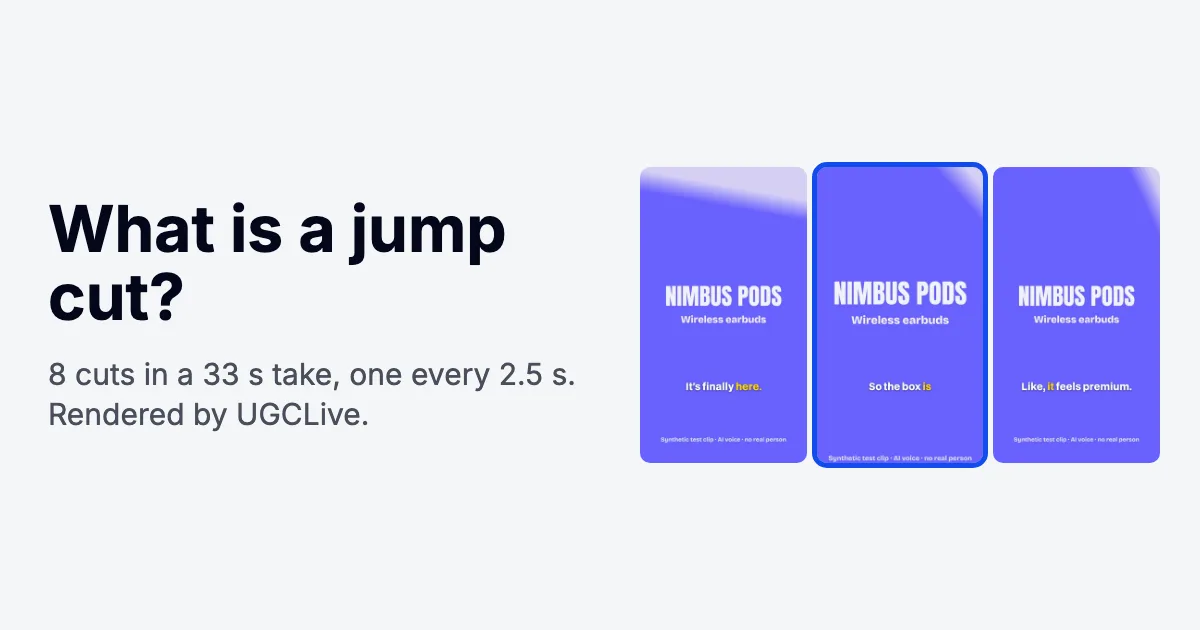
Short answer
A jump cut is a cut between two moments of the same shot, filmed from the same camera position, so the subject seems to skip forward in time.
Most edits hide the cut; a jump cut lets you see it. In TikTok and UGC videos it's how pauses and fluffed lines come out of one take: on six test takes of about 30 seconds, our editor made 6 to 9 jump cuts each, leaving pieces that averaged 2.3 to 3.5 seconds between jumps.
What does jump cut mean?
A jump cut means one continuous shot has been split in two with a piece taken out of the middle, so the person on screen seems to jump. The camera didn't move and the framing didn't change, so the background stays put while the head shifts and time moves on.
Classic continuity editing treats that as a mistake. Its 30-degree rule says the camera should move at least 30 degrees between two shots of the same subject, and some schools want a change of shot size as well, such as a medium shot to a close-up. A jump cut ignores the rule, on purpose or because there was only one camera.
Godard's Breathless (1960) made the jump cut famous, with Jean Seberg in a car while the edit skips forward again and again. Vlogs made it ordinary: one person, one camera, lots of pauses.
What are some jump cut examples?
The one you see most is a creator talking to a phone with a small skip every few seconds. Others:
- Talking-head UGC: a creator reviews a serum in one take; the pauses and retakes come out and the head skips at each join.
- Showing time pass: the same shot of a desk at morning, noon and night, cut together.
- Outfit or makeup reveals: the same framing, a different look after each cut (a spatial jump cut).
- Comedy beats: a cut straight to the reaction, with the setup trimmed out.
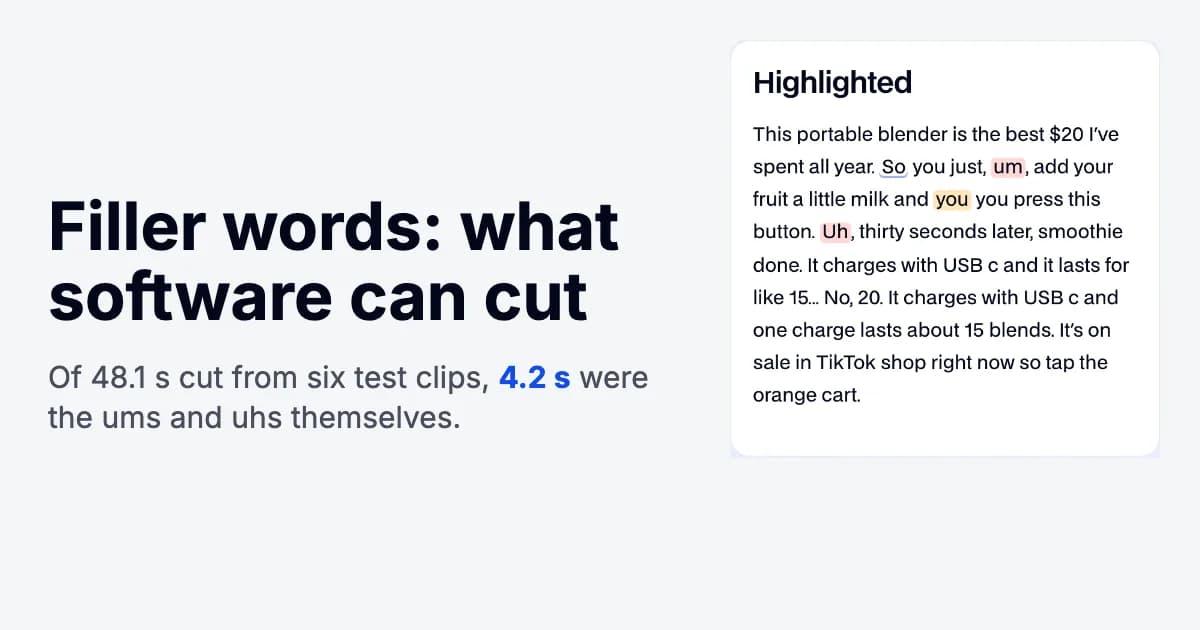
In talking-head video the jump is a side effect of tightening the pace. Cutting filler words like um and uh out of a sentence makes a jump cut each time.
How is a jump cut different from a match cut, a cutaway or a punch-in?
A jump cut stays on the same shot at the same size; the others change the size, the shot or the sound so the cut stops reading as a skip.
| Cut | What changes at the cut | What the viewer notices | When to use it in UGC |
|---|---|---|---|
| Jump cut | Time only. Same angle, same framing | A visible skip | Tightening one take of you talking |
| Punch-in (zoom cut; in film terms, an axial cut) | Shot size: the next piece is cropped tighter | Emphasis more than a skip | Hiding a jump cut on a key line |
| Cutaway (B-roll) | A different shot covers the cut while the voice goes on | The product or the result | Hiding several cuts and showing what you're saying |
| Match cut | A different shot linked by a shared shape or motion | A smooth link between two scenes | Transitions, like a lid closing into a logo |
| J cut and L cut | Sound starts early (J) or runs on (L) over the picture cut | A softer cut | Going to or from B-roll without a hard stop |
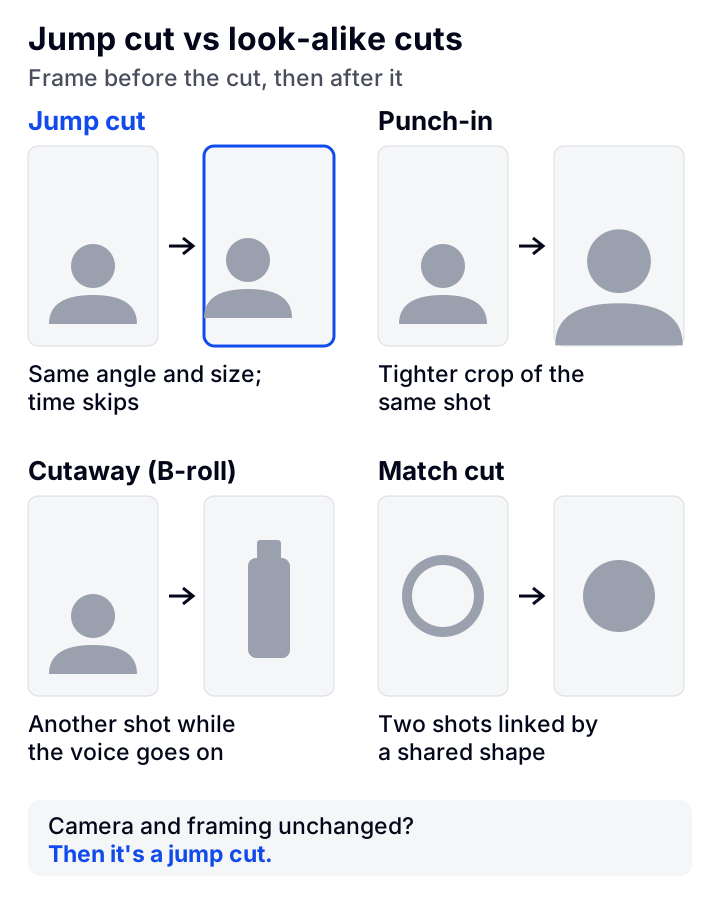
Cutaways hide a run of jump cuts best, because the viewer is looking at the product while you skip ahead. Our guide to B-roll covers what to film for them.
How often does a talking-head video jump cut?
In our six test takes, the picture jumped every 2.8 seconds on average (the average length of a piece between cuts): UGCLive's AI edit made 43 jump cuts, leaving 49 pieces and 136.7 seconds of finished video. The takes are synthetic (an AI voice reading UGC-style scripts with planted pauses, ums and one retake each), and the AI edit's rules ran at the default Cutting setting.
| Test take | Before | After | Jump cuts | Average piece | Shortest piece |
|---|---|---|---|---|---|
| Fixture 01 | 30.4 s | 24.2 s | 6 | 3.5 s | 1.4 s |
| Fixture 02 | 31.1 s | 24.0 s | 7 | 3.0 s | 0.9 s |
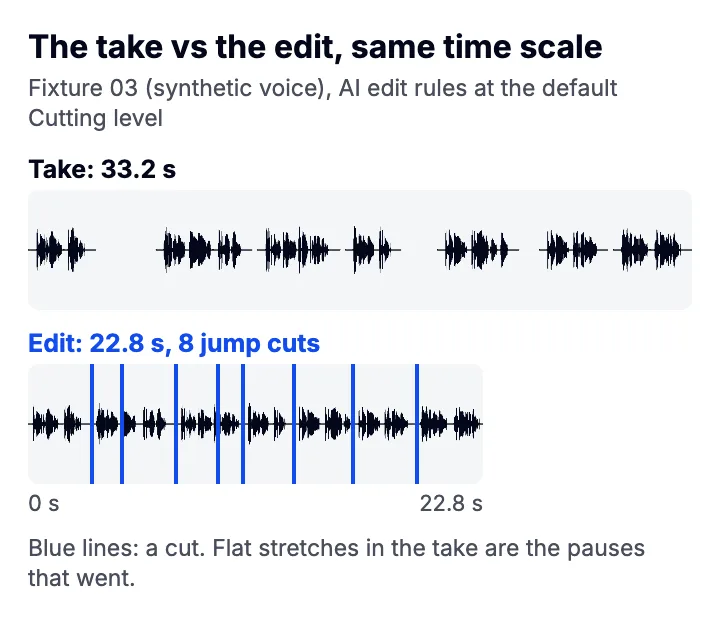
| Fixture 03 | 33.2 s | 22.8 s | 8 | 2.5 s | 1.2 s |
| Fixture 04 | 29.2 s | 22.1 s | 6 | 3.2 s | 0.9 s |
| Fixture 05 | 33.2 s | 23.0 s | 9 | 2.3 s | 0.5 s |
| Fixture 06 | 27.8 s | 20.7 s | 7 | 2.6 s | 0.7 s |
Every cut in these takes removed a pause, an um or a stutter, nothing else. Each take also kept the failed first try of one line, because the Claude step that finds retakes wasn't run. When we dropped those lines by hand label instead, every take lost one jump cut (the pause before and after the dead line became a single cut) and 2.1 to 4.6 more seconds.
Is that too often? The Social Cat says to aim for 1 to 3 second jumps, and Epidemic Sound warns that cutting every couple of seconds will grate. Our pick: let pauses decide, which gave a jump every 2.3 to 3.5 seconds here, and where two joins land under 2 seconds apart, cover one of them with B-roll, because a punch-in on a piece that short reads as a twitch. Punch in on alternate pieces everywhere else (below).
What does a tighter edit change?
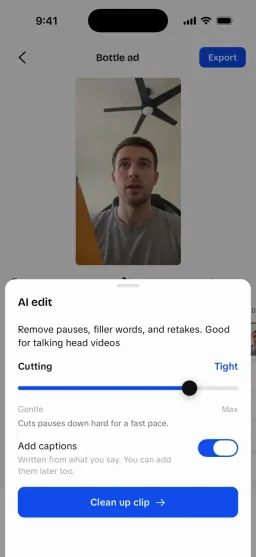
Two things: which pauses count as long enough to cut, and how much air each cut keeps. On one of our takes, moving UGCLive's Cutting slider from its gentle end to its tightest took the edit from 23.9 to 21.8 seconds with 8 jump cuts throughout.
| Setting | Gentle end | Middle (default) | Tightest end |
|---|---|---|---|
| Pauses longer than this get shortened | 450 ms | 285 ms | 120 ms |
| Air kept before / after a word (a shortened pause is the two added) | 90 / 140 ms | 63 / 93 ms | 35 / 45 ms |
| A cut smaller than this isn't made | 150 ms | 115 ms | 80 ms |
| Jump cuts made | 8 | 8 | 8 |
| Finished length | 23.9 s | 22.8 s | 21.8 s |
The count stayed put because every pause in these synthetic takes is longer than even the gentle limit, so each one is cut at every setting; what changed is the air left at each cut (the padding row). Any pause between 120 and 450 ms is cut only at tighter settings, so on a take that has such pauses (we didn't test one), a tighter setting also adds jumps. After a full stop it keeps a little more: 400, 250 or 100 ms. Each cut also moves up to 40 ms to land on the quietest moment nearby, and any piece shorter than 400 ms is dropped, since a flash that short looks like a glitch.
How do you make jump cuts that don't feel choppy?
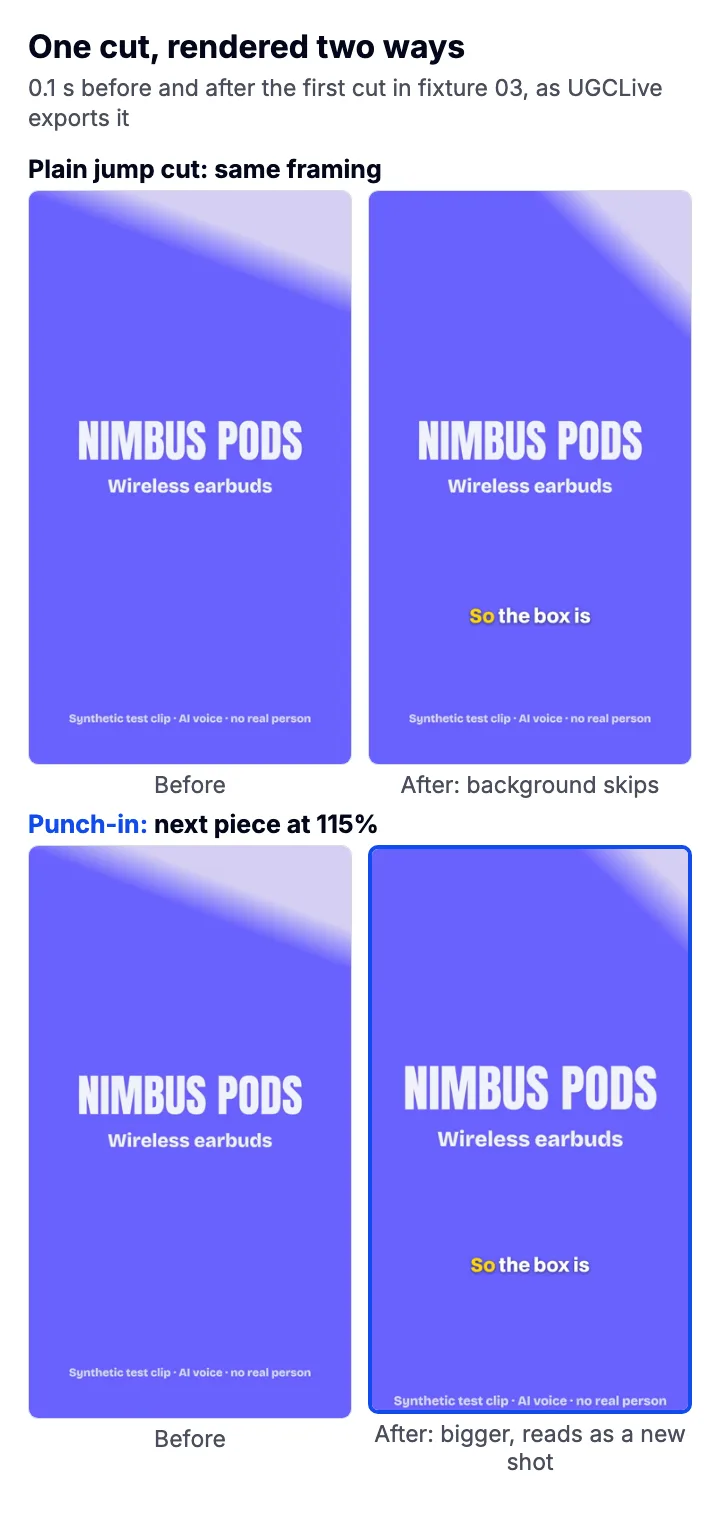
Keep a little air around every word, cut where it's quiet, and change the framing on the cuts people will notice. Our pick for a solo talking-head video: punch in to about 115% on every second piece, because in our render that size change was obvious at phone size while cropping only 6.5% off each edge, which keeps a chest-up framing's head in shot. Our test clip has a title where your face would be, so check it on your own framing: a tighter punch-in crops more and softens a 1080p source.
- Record in one framing, in short takes
Lock the phone on a stand at eye level and say one line at a time. If you fluff a line, pause, then say the whole line again, so the good version is easy to find. Reading from a teleprompter means fewer retakes.
- Cut the pauses, but not to zero
Leave about 156 ms between phrases (5 frames at 30 fps) and about 250 ms after a full stop. Words butted together with no gap sound breathless. In CapCut or any phone editor: zoom in until you see the waveform, split that far after the last word and before the next, and delete the middle. On an iPhone, Photos can't do this; iMovie and CapCut can.
- Never cut into a word
Keep about 63 ms (2 frames) before the first word of a piece and 93 ms (3 frames) after the last, so no consonant is clipped. A clipped s or t makes a cut sound wrong even when it looks fine.
- Put the cut in the quietest moment
Nudge each cut by about a frame (our editor allows 40 ms) so it sits in the silence between breaths, off any breath or lip smack.
- Punch in to about 115% on every second piece
Leave the hook at normal size, then alternate. On the product claim, cover the cut with a product shot instead.
- Keep the light the same between takes. Window light drifts, and a skip with a brightness change looks like an accident.
- Return your hands and eyeline to the same place at the start of each line, so the cut doesn't catch a gesture mid-air.
- Don't move the mic or the phone between takes, so the room sound and framing match across the cut.
- Cover what's left with captions or a soft sound effect on the cut, so the eye has somewhere to go.
When should you avoid jump cuts, and what can't our test tell you?
Skip them when a video should feel calm, like a slow skincare routine or a testimonial for an expensive product.