Free YouTube aspect ratio calculator
The YouTube aspect ratio is 16:9 on a computer, from 426×240 up to 7680×4320.
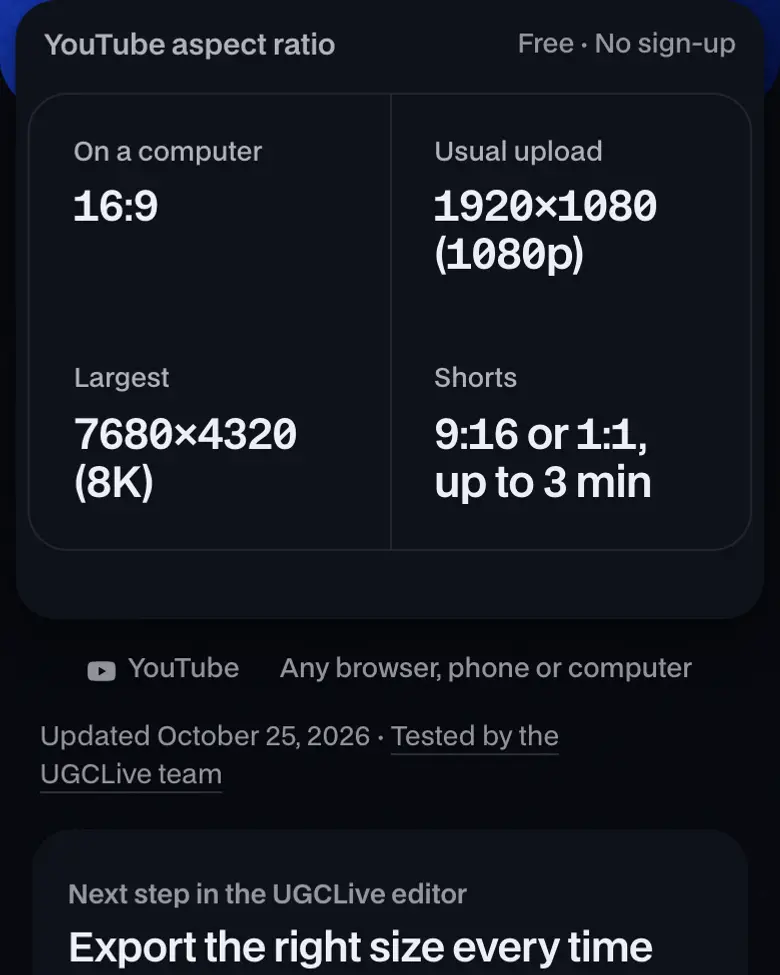
- On a computer
- 16:9
- Usual upload
- 1920×1080 (1080p)
- Largest
- 7680×4320 (8K)
- Shorts
- 9:16 or 1:1, up to 3 min
Where it works
- YouTube
- Any browser, phone or computer
Updated · Tested by the UGCLive team
Videos in the right size
Every TikTok Shop video our AI makes is 1080×1920 at 9:16, from one product link.
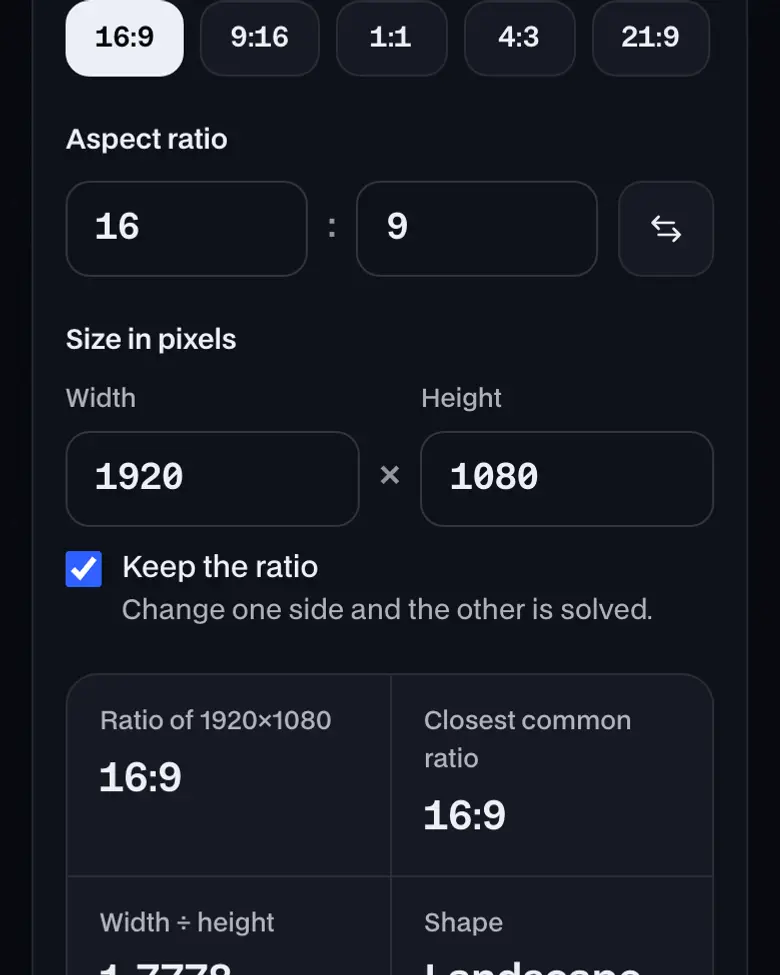
- Ratio of 1920×1080
- 16:9
- Closest common ratio
- 16:9
- Width ÷ height
- 1.7778
- Shape
- Landscape
Drag the corner to try a shape. It snaps to common ratios.
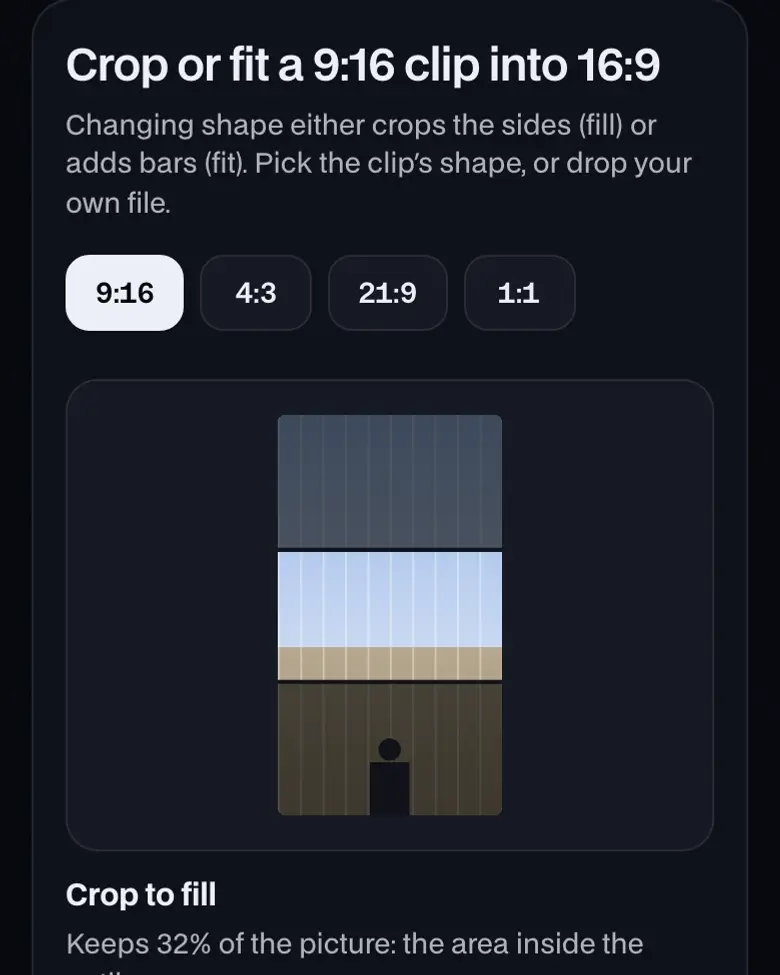
Crop or fit a 9:16 clip into 16:9
Changing shape either crops the sides (fill) or adds bars (fit). Pick the clip's shape, or drop your own file.
A vertical video in YouTube's 16:9 player
On a computer a 9:16 clip fills only 32% of the player, and YouTube adds the padding itself, so never bake bars into the file. Under 3 minutes, it's a Short; see the Shorts safe zone.
YouTube video sizes at 16:9, to scale
1920 × 1080 is the usual upload, and 4K holds four times its pixels. Upload in the resolution you shot in; the table and bitrates are below.
How to use YouTube aspect ratio


More about YouTube aspect ratio
Check any size against it, and see how a vertical or 4:3 clip sits in the player.
How to use YouTube aspect ratio, step by step
- Start at 16:9. The calculator opens at 16:9 and 1920 wide. Tap a standard size under the preview, or type your own width to get the height.
- Pick your clip's shape. Choose 9:16, 4:3, 21:9 or 1:1, or drop your file in. The fit panel shows the clip inside a 16:9 frame, the way it sits on a computer screen.
- Decide: video or Short. A vertical or square video up to 3 minutes becomes a Short. Anything wider is a regular video, whatever its length.
What is the YouTube aspect ratio?
The YouTube aspect ratio is 16:9, the widescreen shape of the player on a computer, and 1920×1080 is the usual upload. Other shapes still play with padding the player adds, and a vertical or square video up to 3 minutes becomes a Short.
YouTube resolutions at 16:9
| Name | Width × height |
|---|---|
| 4320p (8K) | 7680×4320 |
| 2160p (4K) | 3840×2160 |
| 1440p (2K) | 2560×1440 |
| 1080p (HD) | 1920×1080 |
| 720p (HD) | 1280×720 |
| 480p (SD) | 854×480 |
| 360p (SD) | 640×360 |
| 240p (SD) | 426×240 |
Recommended upload bitrate by resolution (SDR, 24 to 30 fps)
| 8K | 80 to 160 Mbps |
|---|---|
| 4K | 35 to 45 Mbps |
| 1440p | 16 Mbps |
| 1080p | 8 Mbps |
| 720p | 5 Mbps |
| 480p | 2.5 Mbps |
| 360p | 1 Mbps |
YouTube Help, read October 16, 2026. At 48 to 60 fps YouTube recommends more, such as 12 Mbps at 1080p.
Upload in the resolution you shot in. YouTube says it began removing playback at resolutions between 4K and 8K in 2022, so a file in between gains nothing over 4K.
YouTube aspect ratio: what you need and limits
| Price | Free, no sign-up |
|---|---|
| Works on | Any current browser on a phone, tablet or computer |
| Last checked | November 11, 2026 |
How other shapes play in YouTube's 16:9 player
Ultrawide 21:9
76% of the 16:9 player
Older TV 4:3
75% of the 16:9 player
Square 1:1
56% of the 16:9 player
Vertical 9:16
32% of the 16:9 player
Drawn to scale by UGCLive: the dashed box is the 16:9 player, the outlined box the video fitted inside it. On a phone the player changes shape instead.
What YouTube's help says
- Yes: The player changes to the ideal size to match your video, so you don't need to make it 16:9.
- Partly: On computers, vertical 9:16 videos may get padding beside them: white by default, dark gray in Dark theme.
- No: Don't add black bars or padding to the video file itself.
YouTube Help, read October 16, 2026.
Regular video, Short or thumbnail: which shape
- Regular video16:9Any length
- Shape16:9 for a full player on computers and TVs
- Size1920×1080 for most uploads
- ShortUp to 3 minutes
- ShapeVertical or square: that's what makes it a Short
- Size1080×1920; Shorts upload at up to 1080p
- ThumbnailCustom image
- Shape16:9 for videos, 9:16 for Shorts
- Size3840×2160 recommended, at least 640 wide
- Check: FileJPG or PNG, 2 MB from the app, 50 MB from a computer
YouTube Help, YouTube Help and YouTube Help, read October 16, 2026.
Burned-in text on a Short also has to clear YouTube's buttons; the Shorts safe zone shows where they sit. For any other size, use the ratio calculator.
Sources
Official help, developer and ads pages, checked on October 16, 2026. Platforms change limits often; your upload screen has the final word.
YouTube aspect ratio FAQ
What resolutions does YouTube support at 16:9?
426×240, 640×360, 854×480, 1280×720, 1920×1080, 2560×1440, 3840×2160 (4K) and 7680×4320 (8K). 1920×1080 is the usual upload; 4K and up are for footage shot that way.
Should I add black bars to fit 16:9?
No. YouTube's help says to avoid adding padding or black bars to the video itself; the player sizes itself to your video. Bars burned into the file stay there on every screen, including phones.
How do vertical videos look on YouTube?
A vertical or square video up to 3 minutes is published as a Short. Longer vertical videos play as regular videos, and on a computer YouTube adds padding beside them, white or dark gray with Dark theme.
What size is a YouTube thumbnail?
16:9, with YouTube now recommending 3840×2160 pixels and at least 640 wide, as a JPG or PNG. The file limit is 2 MB from the mobile app and 50 MB from a computer. Shorts thumbnails are 9:16.
What bitrate should a 1080p YouTube upload be?
YouTube recommends 8 Mbps for 1080p at 24 to 30 fps and 12 Mbps at 48 to 60 fps, as an MP4 with H.264 video.
Still have questions?All UGCLive questionsEmail us
Related
Try it now, free.
16:9, from 426 × 240 to 7680 × 4320.
- No sign-up
- Works on your phone
- Nothing to install