The best free video editing app
Eight free phone editors side by side on what a free account actually exports: watermark or not, how sharp, whether auto captions cost extra, and the price of the paid plan if you outgrow it, read from each app's own listing and help pages on one day.
Updated . Outside prices and features are read from each company's own pages on the dates shown with them.
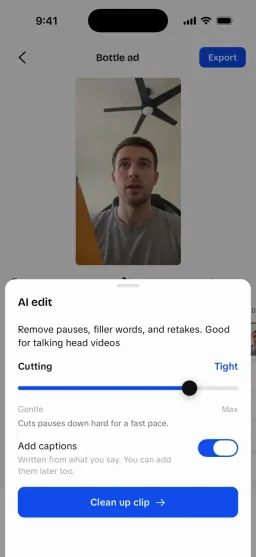
The best free video editing app for most people is VN: its listing says “Free with No Watermark”, its help page says no export needs VN Pro (4K at 60 fps included), and its auto captions run on the phone for free.
Adobe Premiere's phone app is the close second, with no ads, no watermark and free 4K. Pick Edits if you post mostly to Reels. KineMaster and InShot watermark free exports.
- Our pick
- VN
- No watermark
- 5 of 8
- Free auto captions
- 3 of 8
- No ads
- 3 of 8
From each app's US App Store listing and help or pricing pages, read on October 16, 2026. We read the pages; we didn't export a test clip from each app.
Which free video editors add a watermark?
What a free export carries, by each app's own words
No watermark
- Yes: VN: None: the listing opens "Free with No Watermark"
- Yes: Adobe Premiere: None: "without ads or watermarks"
- Yes: Edits: None: "4K with no watermark"
- Yes: YouCut: None: "YouCut never add Watermark to your video"
- Yes: iMovie: None mentioned; nothing is sold in the app
Only in some cases
- Check: CapCut: Only from a template's ending clip, a stock asset or the default outro; delete the outro clip
Watermarked until you pay
- No: InShot: Likely: its description says Pro removes the watermark and ads
- No: KineMaster: Yes: "No Watermark" and "No Ads" are listed as Premium benefits
US App Store listings, VN's export help page, CapCut's watermark help page and KineMaster's Premium page, read October 16, 2026.
CapCut is the in-between case: its help page says a watermark appears only when a template includes CapCut's ending clip, a stock asset needs attribution, or the default outro is on, and you remove it by deleting that last clip before exporting CapCut help. InShot's US listing doesn't describe the watermark at all; the Swedish one says Pro removes it App Store (SE), so check the corner of your first export. Our InShot free vs Pro page has the detail.
How do the eight free editors compare?
- VNOur pickUbiquiti Labs, LLC · 4.8 (320,700 ratings)
- Yes: WatermarkNo watermark
- Export4K at 60 fps; its help page says no export needs VN Pro
- Yes: Auto captionsFree on-device models in 43 languages; cloud captions and filler removal use credits
- No: AdsContains advertising
- Worth knowingFiller and silence cutting needs cloud credits
- Adobe PremiereAdobe Inc. · 4.8 (26,327 ratings)
- Yes: WatermarkNo watermark
- Export4K, free
- Yes: Auto captionsAuto captions listed; "Everything you need to edit videos is available for free"
- Yes: AdsNone listed
- Worth knowingGenerative AI (Firefly) credits are the paid part; iOS 18 or later
- EditsInstagram, Inc. · 4.8 (94,507 ratings)
- Yes: WatermarkNo watermark
- Export4K
- Yes: Auto captionsAutomatic captions listed; no in-app purchases at all
- Yes: AdsNone listed
- Worth knowingBuilt around Instagram; no filler or silence cutting listed
- YouCutShantanu Pte. Ltd. · 4.8 (23,299 ratings)
- Yes: WatermarkNo watermark
- ExportUp to 4K
- Partly: Auto captionsAuto captions in 99+ languages; the listing doesn't say if they're Pro
- No: AdsContains advertising
- Worth knowingPro adds "all features and paid editing materials"; the description says no banner ads
- iMovieApple Inc. · 4.4 (316,893 ratings)
- Yes: WatermarkNo watermark
- Export4K at 60 fps on recent iPhones
- No: Auto captionsNot in its listing
- Yes: AdsNone listed
- Worth knowingiPhone, iPad and Mac only; last updated December 2024
- CapCutBytedance Pte. Ltd. · 4.6 (1,124,113 ratings)
- Check: WatermarkOnly in some cases
- Export4K at 60 fps (listing); its article says Standard saves up to 8K
- No: Auto captionsIts own article lists the auto caption generator as Pro
- No: AdsContains advertising
- Worth knowingNo free cloud storage since August 2024
- InShotShantanu Pte. Ltd. · 4.8 (2,510,341 ratings)
- No: WatermarkWatermarked until you pay
- Export4K at 60 fps
- Partly: Auto captionsAuto captions and AI Cut listed; the listing doesn't say which are Pro
- No: AdsContains advertising
- Worth knowingPro adds all features and paid materials
- KineMasterKineMaster Corporation · 4.7 (43,098 ratings)
- No: WatermarkWatermarked until you pay
- Export4K at 60 fps
- Partly: Auto captionsAI auto captions listed; the plan isn't stated
- No: AdsContains advertising
- Worth knowingPremium adds 10 GB of cloud storage and premium assets
Ratings are each app's US App Store average and count on the same day. Ads are the App Store's Contains Advertising line.
VN's free captions use on-device models in 43 languages; its cloud captions, which also find filler words and silences, spend credits VN. CapCut's own article lists its auto caption generator as a Pro tool CapCut article, which is why it ranks lower here for anyone who captions every video. Our VN review covers its paid plan and credits.
What does it cost to remove the limits?
Cheapest monthly purchase in each app, US App Store
| InShot | $4.99 |
|---|---|
| YouCut | $6.99 |
| VN | $7.99 |
| Adobe Premiere | $7.99 |
| CapCut | $7.99 |
| KineMaster | $8.49 |
The lowest monthly item in each app's US App Store list, read October 16, 2026. CapCut's is an unnamed $7.99 "Monthly Subscription"; VN's listing doesn't name its billing period. Edits and iMovie sell nothing.
| App | In-app purchases | Source |
|---|---|---|
| VN | VN Pro $7.99 or $69.99 (periods not named); credits from $1 for 100 | |
| Adobe Premiere | Premiere Mobile $7.99 a month or $69.99 a year | |
| Edits | Nothing for sale | |
| YouCut | YouCut Pro $6.99 a month, $25.99 a year or $59.99 lifetime | |
| iMovie | Nothing for sale | |
| CapCut | Standard $9.99 a month; Pro $19.99 a month; a $7.99 monthly and an $89.99 yearly item | |
| InShot | Pro $4.99 a month, $19.99 a year or $49.99 lifetime; Remove ads $3.99 | |
| KineMaster | Premium from $8.49 to $11.99 a month and $49.99 or $59.99 a year in the App Store; $7.99 a month or $51.99 a year on its site |
For the free picks you may never pay at all: VN, Premiere, Edits and YouCut already export without a watermark, so their paid plans buy extras (VN's cloud credits, Premiere's generative AI credits, YouCut's paid materials). On InShot and KineMaster the subscription is what removes the watermark. VN's Pro items are $7.99 and $69.99.
Which free editor fits which kind of video?
- Talking to camera with captions: VNFree on-device captions and a teleprompter in the same app.
- No ads at all: Adobe PremiereNo ads or watermark, free 4K; you pay only for generative AI.
- Reels first: EditsInstagram's own editor, with nothing for sale.
- Templates and trends: CapCutDelete the outro clip and most exports are clean. Read what it collects first if that worries you.
- Finishing on iPad or Mac: iMovieProjects move to iMovie or Final Cut Pro on a Mac.
- Silence and filler cutting: InShotAI Cut does it on the phone; Pro removes the watermark.
If you film UGC ads, the head-to-head pages go deeper: CapCut alternatives and CapCut vs InShot compared. UGCLive, our own editor, isn't ranked here because it's ours, and it isn't free: it runs in the browser on a plan (plans).
What did this comparison leave out?
- 8
- apps read on one day
- 0
- test exports made
- 1
- store: the US App Store
Not tested
- Partly: Exporting the same clip from each app and checking the frames
- Partly: Caption accuracy
- Partly: Google Play prices and Android-only editors
- Partly: Desktop editors (DaVinci Resolve, CapCut desktop)
Free tools for the same video



Sources
Each app's US App Store listing and its own help or pricing page, read on October 16, 2026. Prices change often and can differ by country, platform and promotion; the checkout screen has the final word. Nobody pays to be listed: how we research and test.
- App Store (US): VN Video Editor
- VN help: Export
- VN: Auto captions
- App Store (US): Adobe Premiere AI Video Editor
- App Store (US): Edits, a video editor
- App Store (US): YouCut - AI Video Editor (Shantanu Pte. Ltd.)
- App Store (US): iMovie (Apple Inc.)
- App Store (US): CapCut: Video Editor, in-app purchases
- CapCut help: How to export a video without a watermark
- CapCut: CapCut Standard vs Pro (article dated September 23, 2026)
- App Store (US): InShot Video Editor
- App Store (Sweden): InShot, description
- App Store (US): KineMaster - AI Video Editor (KineMaster Corporation)
- KineMaster: KineMaster Premium (kinemaster.com/payment)
The best free video editing app FAQ
What is the best free video editing app with no watermark?
VN or Adobe Premiere on the phone. VN's help page says no export needs VN Pro, and Premiere's App Store listing says it has no ads or watermarks and exports 4K free. Edits by Instagram and YouCut also say they add no watermark.
Which free video editors put a watermark on exports?
KineMaster lists "No Watermark" as a Premium benefit, so free exports carry one, and InShot's description says Pro removes its watermark. CapCut adds one only when a template ends with its outro clip.
Which free editing app has free auto captions?
VN (its on-device models are free), Edits and Adobe Premiere list auto captions with no paid plan needed. CapCut lists its auto caption generator as Pro. iMovie's listing doesn't mention auto captions.
Is CapCut still free?
Yes, its free plan includes templates and basic editing. Auto captions and some AI tools are Pro, which is $19.99 a month in the US App Store.
Still have questions?Email us
Other comparisons
Make UGC videos with an AI creator, or a faceless video from a script.
Our AI writes the hooks, makes the parts and edits them together.